Master Midjourney Camera Angles
Unlocking your Midjourney’s creative magic often starts with one simple concept: camera angle. Just as a photographer chooses perspective, so too can you sculpt mood, scale, and emotion in AI-generated art.
Here’s your ultimate toolkit—15 powerful angles, each paired with prompt tips and evocative descriptions to bring your visions to life.
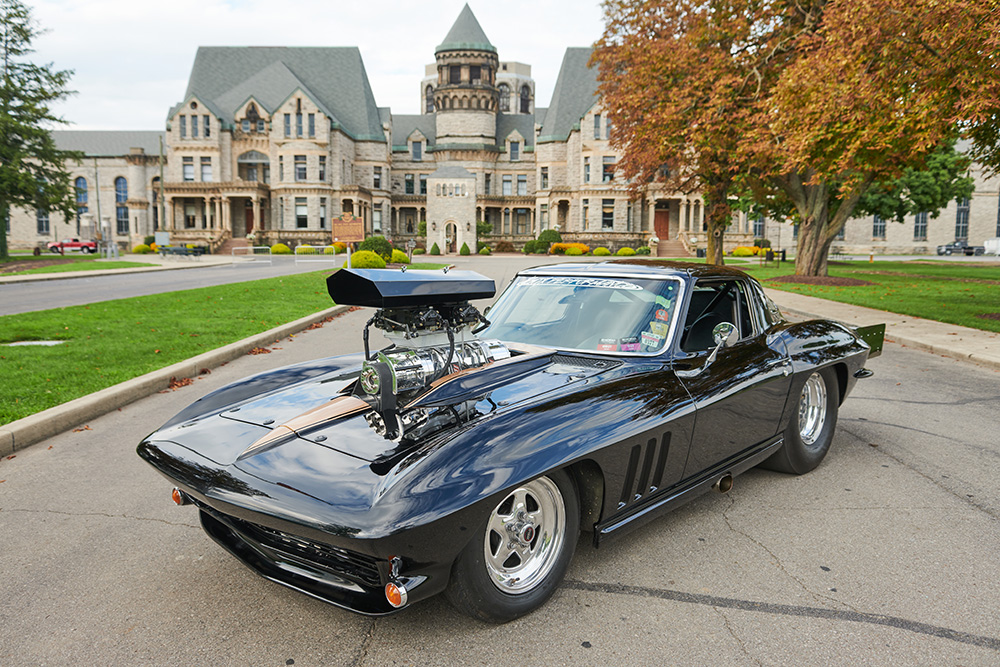
1. Low Angle Shot
Prompt tip: “low angle shot” or “from below”
Elevate your subject into grandeur. Use this to imbue your subject with strength or dominance—ideal for towering figures or statuesque scenes.
2. High Angle Shot
Prompt tip: “high angle shot” or “from above”
Instill vulnerability or smallness. Glance down on your subject to reveal context, scale, or portray them as overwhelmed or insignificant.
3. Close-Up Shot
Prompt tip: “close-up shot”
Focus tightly on emotion, texture, or detail. Ideal for faces, expressions, or intricate object features.
4. Bird’s-Eye View / Overhead Shot
Prompt tip: “bird’s-eye view,” “overhead shot,” or “aerial view”
Soar above the scene. Reveal patterns, layouts, and scale from a detached, omniscient vantage point.
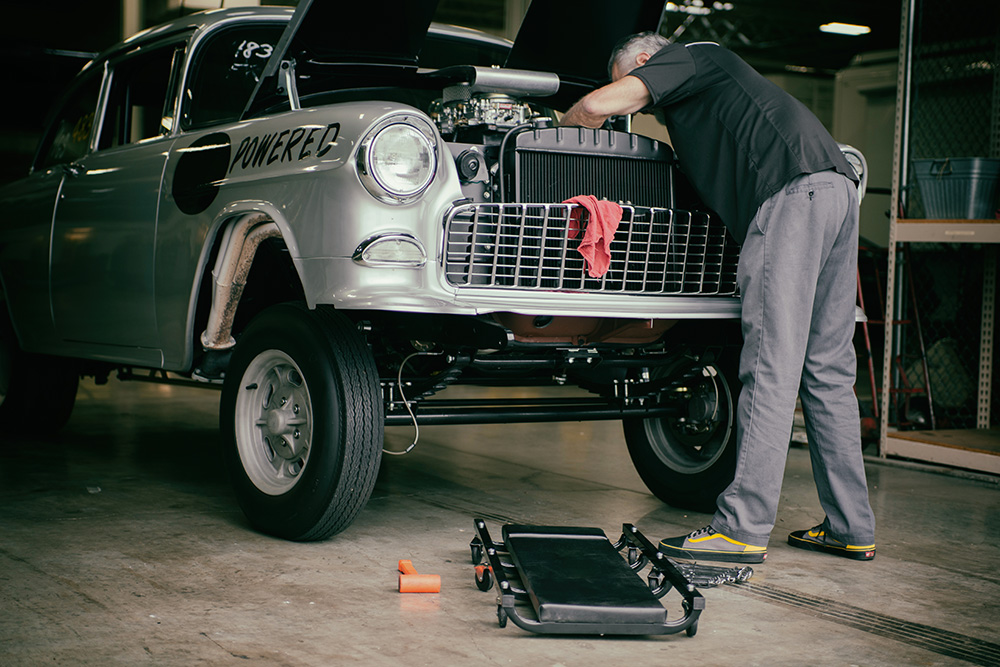
5. Eye-Level Shot
Prompt tip: “eye-level shot”
Neutral and natural, this angle places the viewer on even ground with the subject—great for honesty and approachability.
6. Dutch Angle / Tilt Shot
Prompt tip: “Dutch angle” or “tilt shot”
Tilt your frame to inject tension, unease, or dynamic drama. This is cinematic flair for moments that feel slightly off‑balance.
7. Ground-Level / Worm’s-Eye View
Prompt tip: “worm’s-eye view” or “ground level”
Imagine the world from the ground—think grass‑level close‑ups or looming perspectives from below, offering an immersive, earth‑bound feel.
8. Over-the-Shoulder Shot
Prompt tip: “over-the-shoulder shot”
Place the viewer just behind the action—or beside it. This angle is perfect for narrative scenes, dialogue, or guided focus.
9. Knee / Hip / Waist-Level Shots
Prompt tip: “knee level shot,” “hip level,” or “waist level shot”
These mid-lower angles offer less common perspectives—great for emphasizing motion or grounding scenes in a character’s physical viewpoint.
10. Establishing Shot
Prompt tip: “establishing shot”
Set the scene with environment and context. Use wide framing to orient your viewer and inaugurate a story’s location.
11. Full Shot
Prompt tip: “full shot”
Capture the entirety—show your subject from head to toe along with a bit of the surroundings. Perfect for character introductions or situational clarity.
12. Medium / ¾ Shot
Prompt tip: “medium shot” or “¾ shot”
Balanced focus on both subject and environment. Ideal for portrait-style framing that still captures context.
13. Pedestal Shot
Prompt tip: “pedestal shot”
Raise or lower the camera without tilting—this subtle vertical adjustment offers a controlled shift in perspective without disorientation.
14. Fallen Angle Shot
Prompt tip: “fallen angle shot”
Tilt the camera sideways to capture chaos, disarray, or a world turned on its side. Great for storytelling with dramatic intent.
15. Upside-Down Angle Shot
Prompt tip: “upside down angle shot”
Present the world flipped. It’s surreal, jarring, and perfect for dreamscapes or visually arresting compositions.
How to Weave Them into Your Prompts
- Pair with Color & Emotion: “low angle shot, dramatic lighting, powerful aura”
- Layer with Framing and Style: “bird’s-eye view, ultra-wide angle, cinematic, desolate landscape”
- Combine for Complexity: “close-up, Dutch tilt, anxious expression, moody lighting”
Each angle enhances narrative. Your prompts become more than visuals—they become experiences.
Quick Reference Table
- Low Angle
- High Angle
- Close-Up
- Bird’s-Eye View
- Eye-Level
- Dutch / Tilt
- Worm’s-Eye View
- Over-the-Shoulder
- Knee / Hip Level
- Establishing
- Full Shot
- Medium / ¾ Shot
- Pedestal Shot
- Fallen Angle
- Upside-Down
- “low angle shot”
- “high angle shot”
- “close-up shot”
- “bird’s-eye view”
- “eye-level shot”
- “Dutch angle”
- “worm’s-eye view”
- “over-the-shoulder shot”
- “knee level shot”
- “establishing shot”
- “full shot”
- “medium shot”
- “pedestal shot”
- “fallen angle shot”
- “upside down angle shot”
- Power, grandeur
- Vulnerability, insignificance
- Emotion, detail
- Patterns, context
- Neutral, relatable
- Tension, unease
- Immersive, grounded
- Narrative involvement
- Motion-focused, uncommon vantage
- Setting, orientation
- Character + surroundings
- Context + character
- Vertical shift without tilt
- Chaos, instability
- Surreal, disorienting